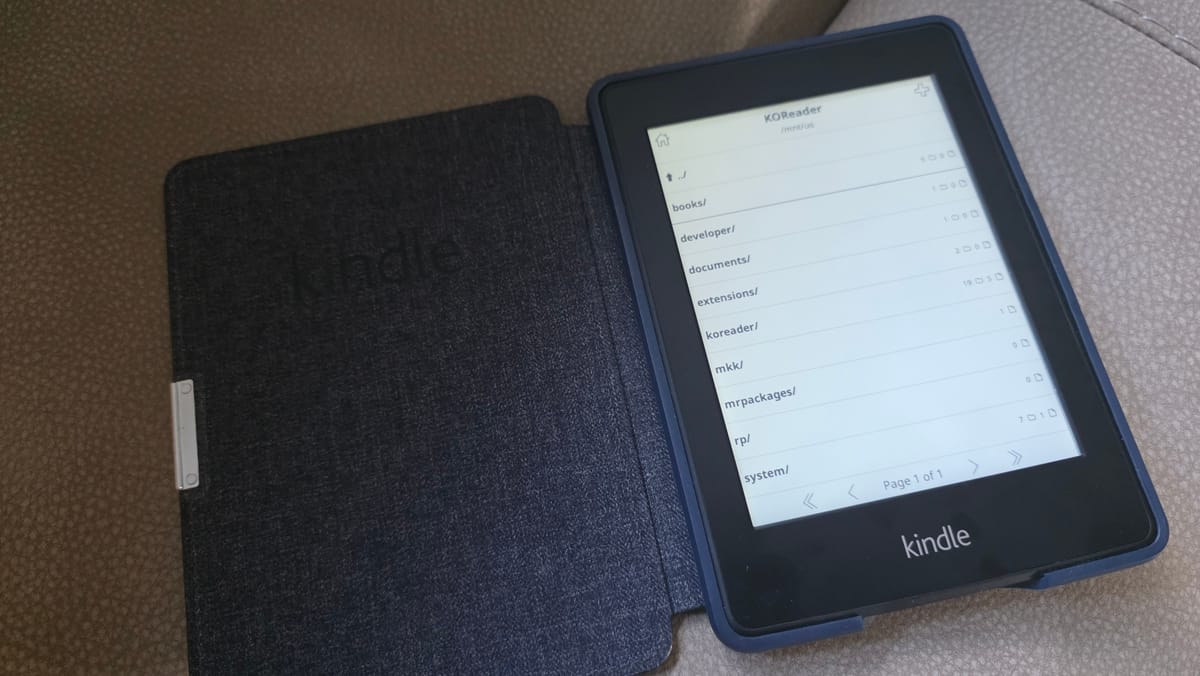
A device this old, unregistered and no longer supported by Amazon, needs an unusual path: downgrade, jailbreak, then upgrade back — using nothing but sideloaded firmware files over USB.
The device
- Kindle Paperwhite 5th Gen (model EY21)
- Firmware: 5.6.1.1
- Unregistered, can no longer register with Amazon (device too old)
Step 1: Downgrade to 5.3.3
The jailbreak exploit only works on older firmware, so first step back:
- Downloaded
update_kindle_5.3.3.bin - Airplane Mode ON
- Connected via USB, copied the
.binto root - Waited 2 minutes
- Force-restarted (held power button until it restarted)
- Let it install, then disconnected
Step 2: Jailbreak on 5.3.3
- Downloaded
kindle-jailbreak-1.16.N-r19426.tar.xz, extracted thekindle-5.4-jailbreak.zipinside, then extracted that - Copied all the resulting files to Kindle root (loose files, not a wrapping folder — this mattered)
- Ejected, went to Settings → Menu → Update Your Kindle
- Tapped it — screen flashed/glitched while it ran, then rebooted on its own
Step 3: Install updated dev certificate
The jailbreak's bundled developer keystore had expired, causing a "not signed by a registered developer" error on anything KUAL-related. Fix:
- Downloaded
DevCerts-20250419-KeyStore.zip, extractedUpdate_mkk-20250419-k5-ALL_keystore-install.bin - Copied it to root
- Settings → Update Your Kindle again to apply it
Step 4: Update firmware forward to 5.6.1.1
Installing the dev cert alone didn't fix the "not signed" error — a documented issue for PW1 specifically. The fix that worked: update all the way back to 5.6.1.1.
- Downloaded
update_kindle_5.6.1.1.bin - Same sideload process: root → wait 2 min → force restart → let it install
Step 5: Install KUAL
- Copied
KUAL-KDK-2.0.azw2into thedocumentsfolder - Opened it from the device library — it launched without error this time
Step 6: Install KOReader
- Downloaded the
kindlepw2build from koreader/koreader releases (this build covers PW1 despite the name) - Extracted the
koreaderandextensionsfolders to Kindle root - Opened KUAL → launched KOReader
Total sequence
Downgrade to 5.3.3 → jailbreak → install dev cert → update to 5.6.1.1 → install KUAL (.azw2) → install KOReader

Or, treat yourself tothe latest Kindle!
The Amazon Kindle 32GB (2026) is the latest all-new e-reader with a premium aluminum design, thinner profile, and refined reading experience.
New Features:
- Aluminum design — Sleeker, more durable than previous models
- 30% faster page turns — Books open quicker than the previous generation
- Up to 6 weeks battery — Single charge lasts weeks with minimal power draw
- 6" glare-free display — 300 ppi with paper-like clarity, adjustable brightness for day or night reading
- 32GB storage — No ads version, holds thousands of titles
- Wireless page-turn remote — Turn pages without touching the screen (sold separately

Member discussion: